Versions 2.0.9.7 and 2.1.2.1 of Marlin support ARM in addition to AVR. You can use the Arduino IDE or PlatformIO to compile and load the firmware to the device. I already mentioned the trouble I had with the latest version of the Arduino IDE, so I thought I would look into what PlatformIO was. Well I was pleasantly surprised to find out that PlatformIO is an extension available for Visual Studio Code (VSCode). VSCode is like a Swiss army knife when it come to development and I do have it installed. There are a number of interesting extensions available that are really useful. IBM has an extension called Z Open Editor that provides tools for IBM Z development along with COBOL, PL/I, HLASM, and REXX language servers. The old mainframe comes alive and is almost modern in this extension. Almost. 🙂 But it works really well.
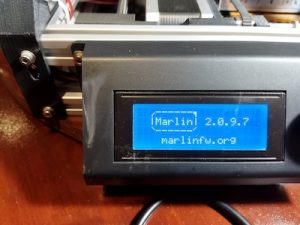
After installing the PlatformIO extension and having already downloaded Marlin versions 2.0.9.7, I went to work on getting it ready for my MendelFlex. You go through the same process of editing the Configuration.h file with the values that you need for your printer, and then compiling it. Once you get a clean compile, you can upload the compiled Marlin to your printer. I used the Configuration.h file that I edited for Marlin 1.1.9.1 as a reference. While things were similar for the most part, there were a few things that were different. I was successful in compiling and loading the binary to the MendelFlex, but LCD screen on the printer didn’t refresh itself and displayed blocks. I wondered for a few minutes on what happened and then I realized that I must have forgotten to set the LCD screen in the Configuration.h file. Sure enough it was not set and the SD card setting wasn’t set as well. Set those two items, compiled, and uploaded the Marlin binary up to the printer. The LCD screen refreshed after the upload and displayed the information I expected. Success!