
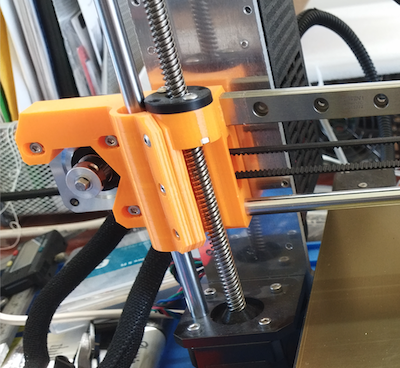
A little while back I upgrade my Prusa MK3x and installed linear rails for the X axis and Y axis. I also replaced the E3D V6 hot end with an E3D Revo hot end. While the linear rails came with printed parts, I got a set of the X Axis parts printed in ABS Purple. But unfortunately the purple stepper motor holder was defective. So until I receive a replacement, I will have to use the Orange X axis stepper motor holder that came with the linear rail.
Installing the Revo hot end, caused a few issues when trying to run thermal model calibration. Here is a something about it on Reddit.
The quick fix was to have the Thermal Model Protection disabled. This is done by connecting the printer to your computer using Pronterface (or Octoprint or Putty) and sending the following commands:
1. send M310 S0
2. send M500 to save the setting.
The Thermal model protection will remain disabled until after the next restart.
Side note on the Pinda Probe. With the hotend tip on the bed, a distance of 0.8 mm to 1.2 mm between the bed and tip of the probe is a common range. The thickness of a cable tie is the recommended nominal distance. The PINDA detection range is 2.0 mm, nominal. This allows detection of the bed so that the nozzle is roughly 1 mm above the bed when the PINDA flips state. You then adjust Live-Z negative to lower the nozzle to the desired height to make a 0.20 mm first layer.
This PINDA height adjustment tool is something to try. Using the manual’s method with the zip tie I needed live z of -.7 to -.9. I need -.3 or .35 after using this tool.

Get the nozzle just touching the lower pad and then adjust the Pinda to touch the upper one.